Every load.
One page.
No chasing.
IFS customers get a private load portal: open loads, status, paperwork and every email about a load in one place. Ask for an update, tender a load or request a quote with one click, or keep emailing us exactly the way you do now. Both land in the same place.
The demo uses sample loads. Nothing in it is live and nothing is sent.
See the portal, screen by screen
Pick a feature. Each picture is the real customer page with sample loads, and each button takes you into the working demo.
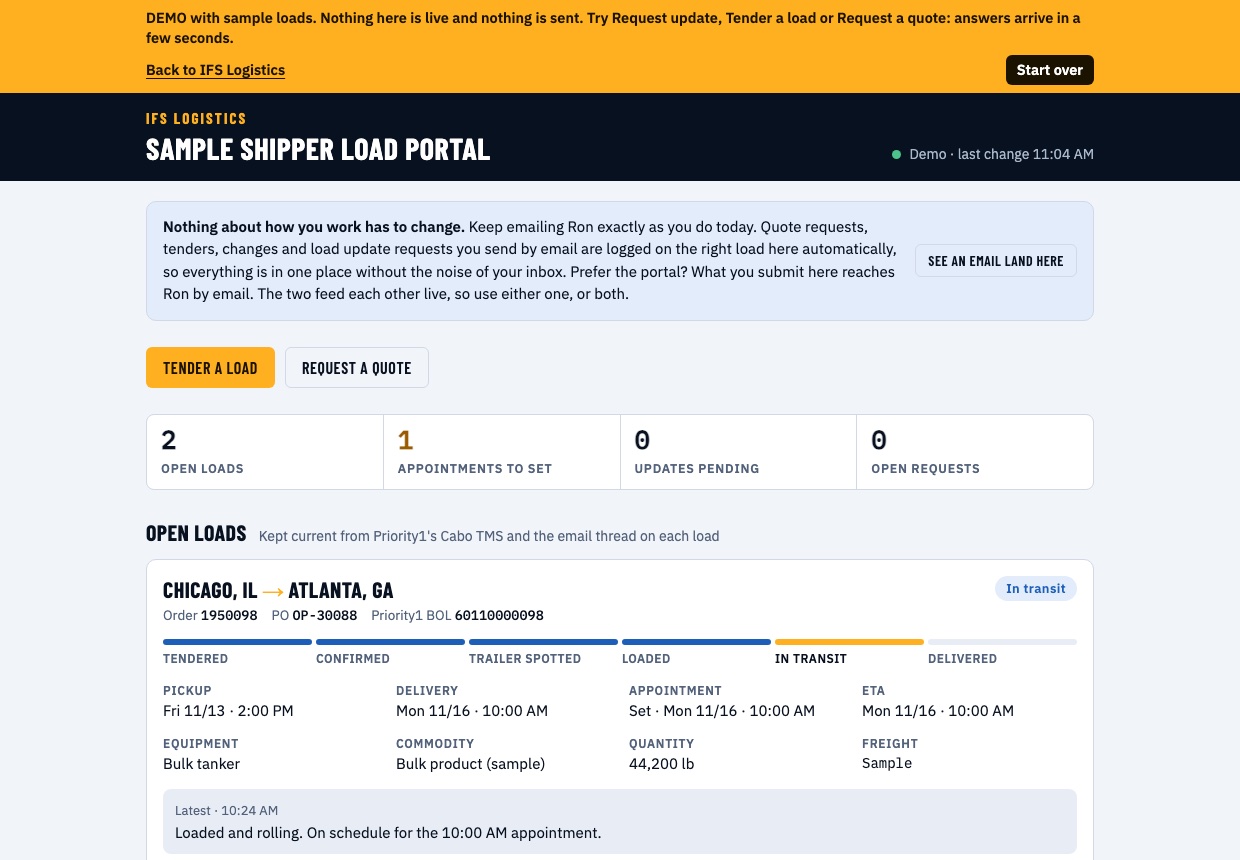
Every open load on one page
Lane, order, PO and BOL numbers, pickup and delivery times, appointment status, ETA and the latest update, with a six-step tracker from tendered to delivered. Counts at the top show what still needs attention.
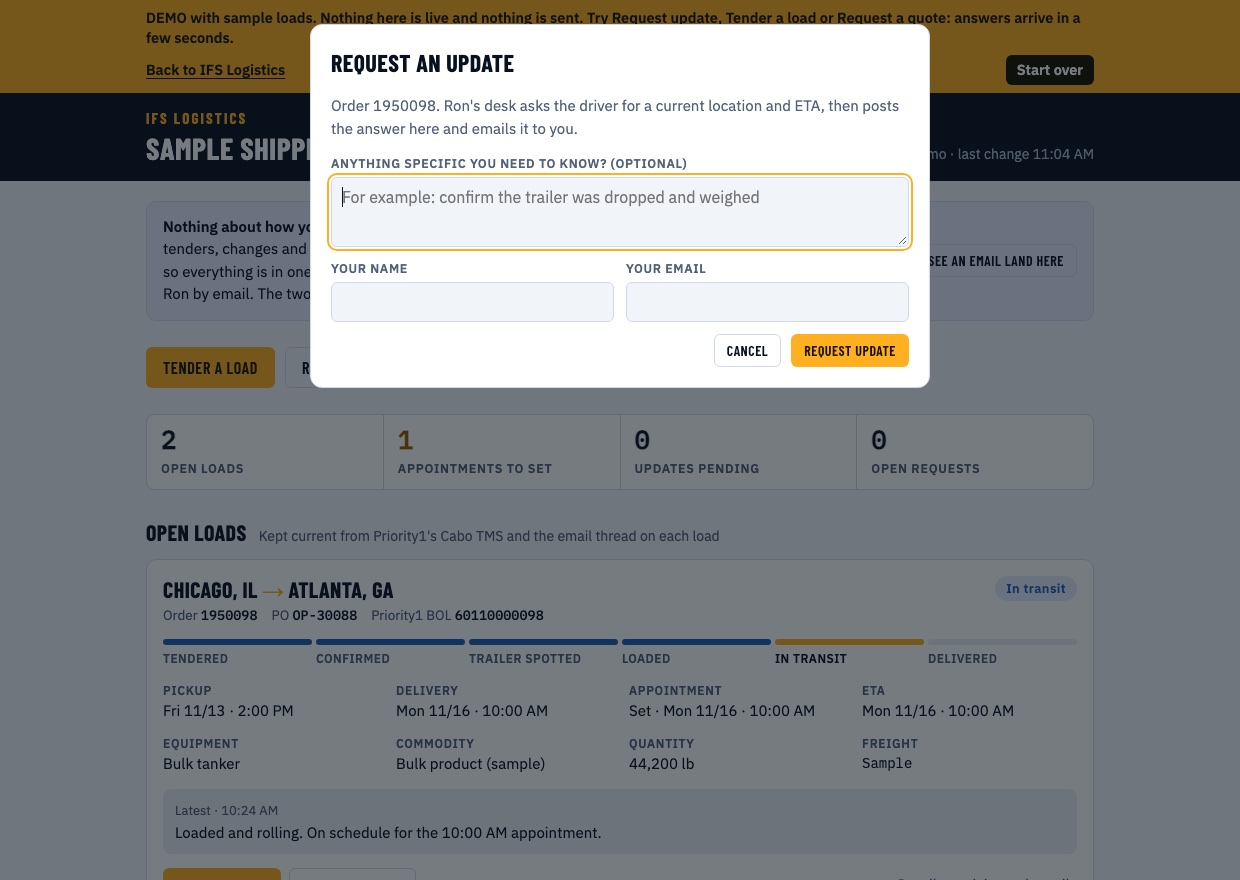
Ask for an update in one click
Press Request update and our desk asks the driver for a current location and ETA. The answer posts on the load and comes to your inbox. The button shows when the driver was asked, so nobody on your team has to ask twice.
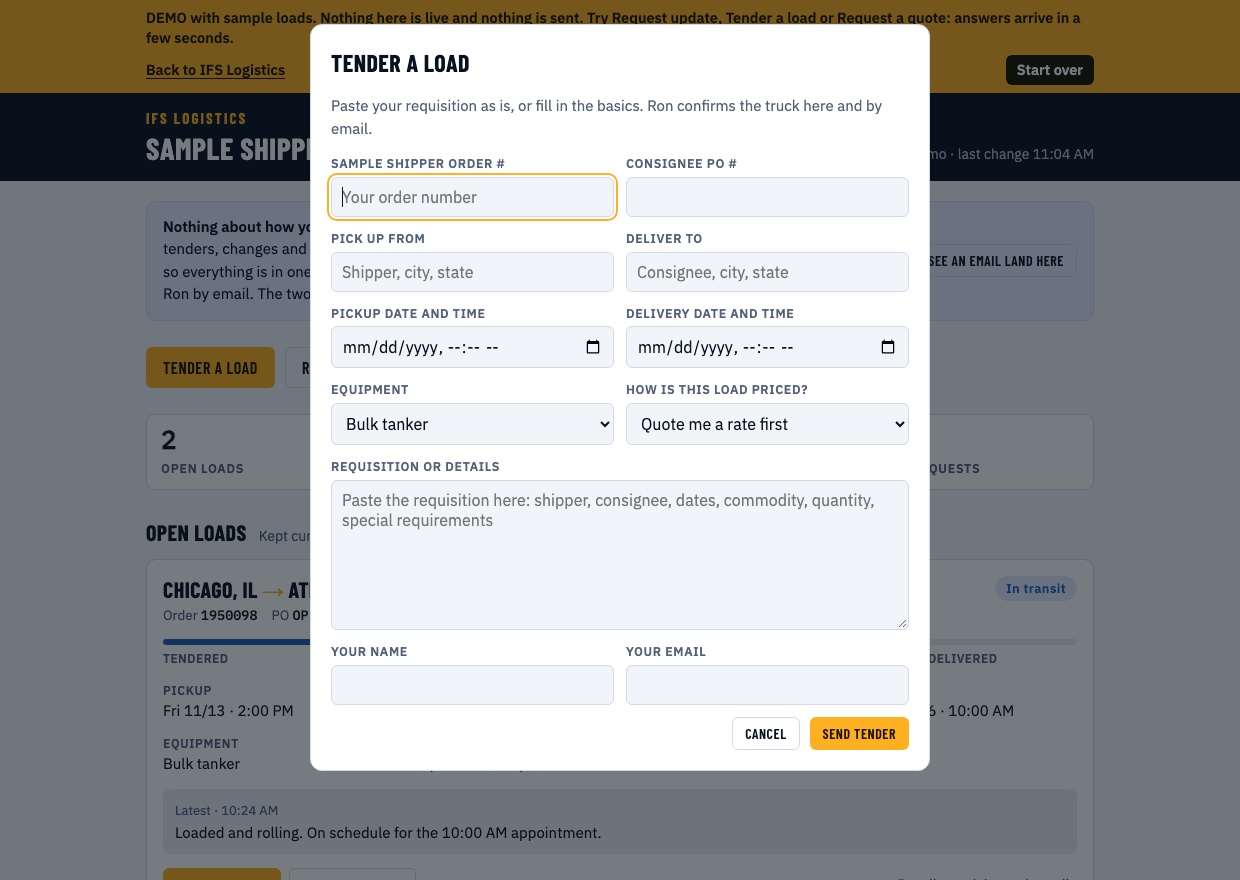
Tender a load your way
Paste your requisition exactly as you write it today, or fill in the basics. The load appears as Tender received until we confirm the truck. Mark a contracted lane Autocover and we skip the quote step and go straight to covering it.
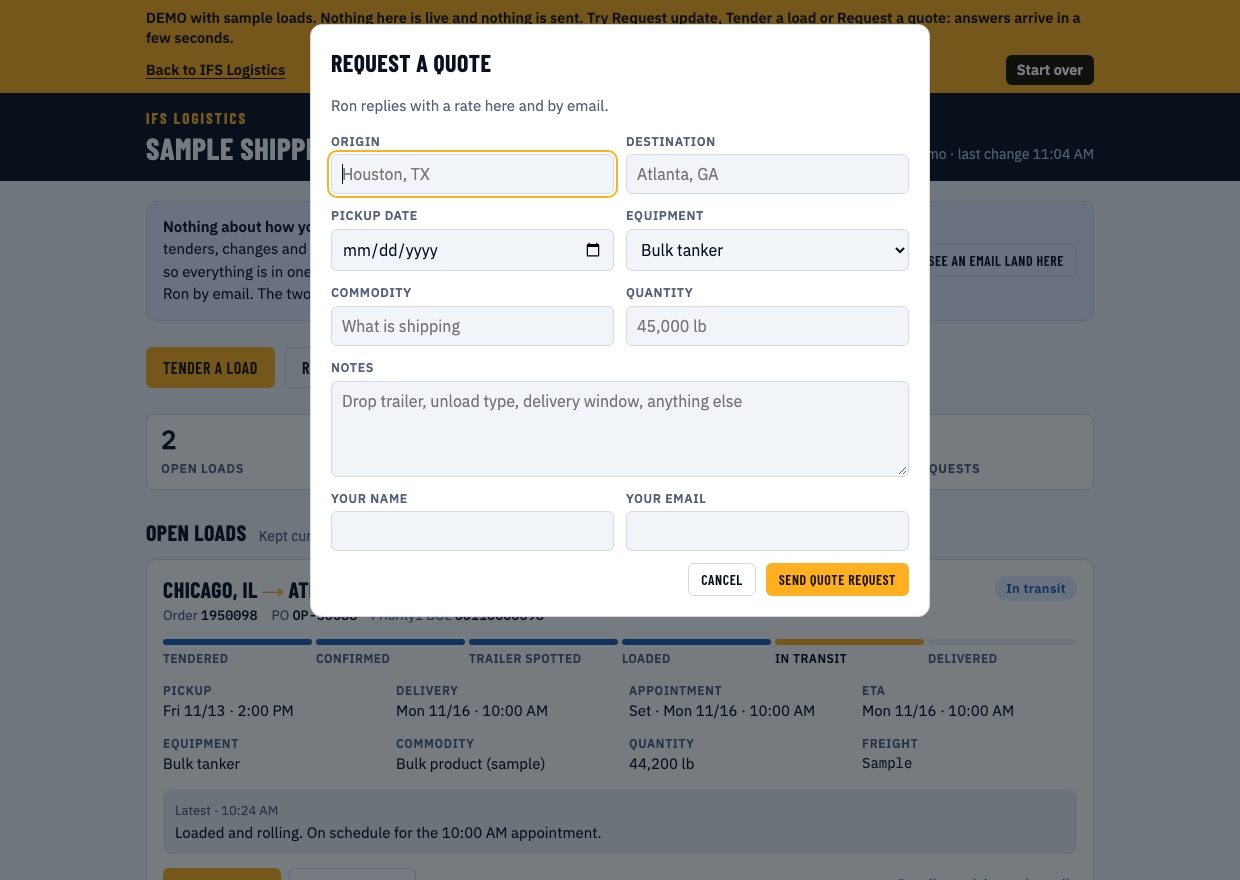
Quotes and changes, on the record
Request a rate, or ask to change a pickup, a delivery, a quantity or a location. Each request is logged with who asked and when, and our reply sits right under it. When a rate comes back, press Accept rate to book it. A person at IFS answers every one.
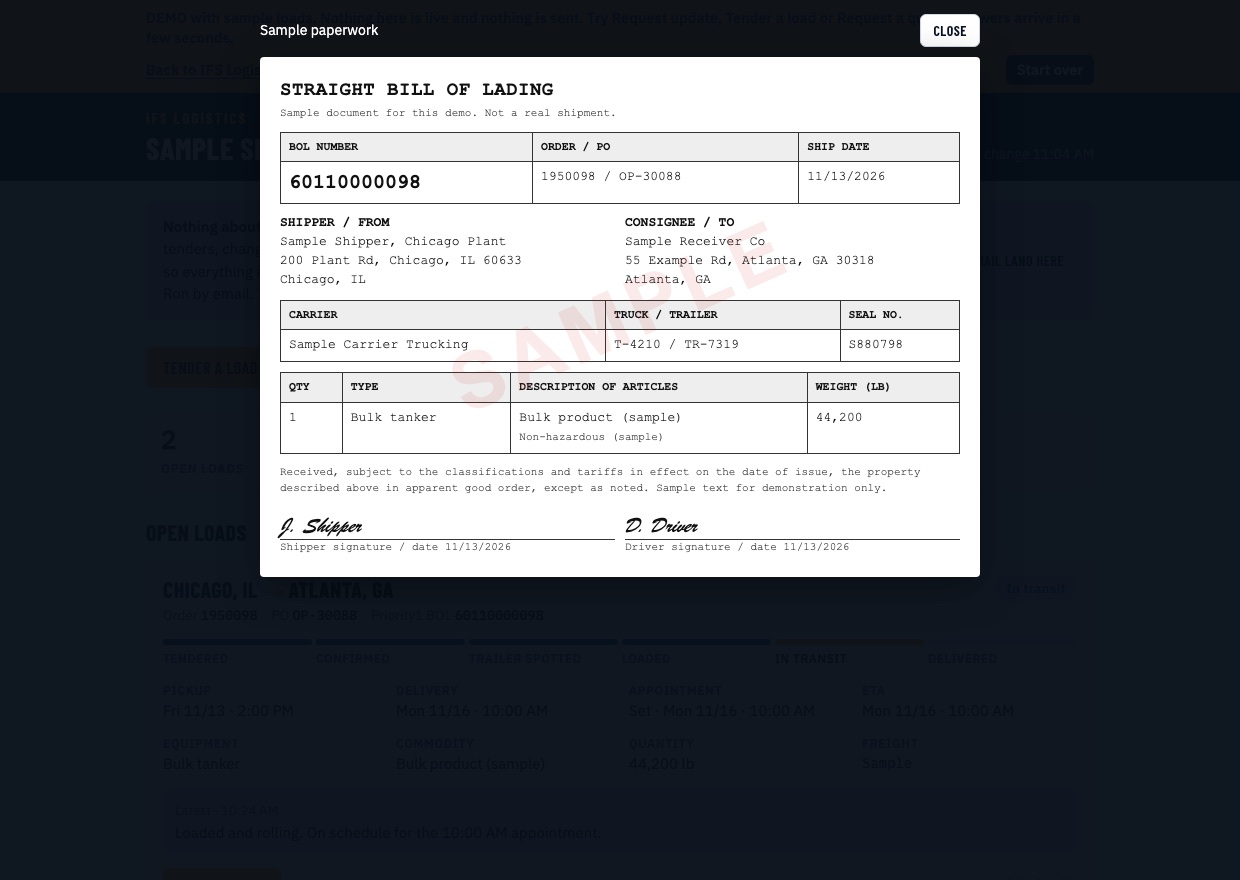
Paperwork attached to the load
Bills of lading, scale tickets and signed delivery receipts are posted on the load they belong to and open in one click. No digging through email for a proof of delivery.
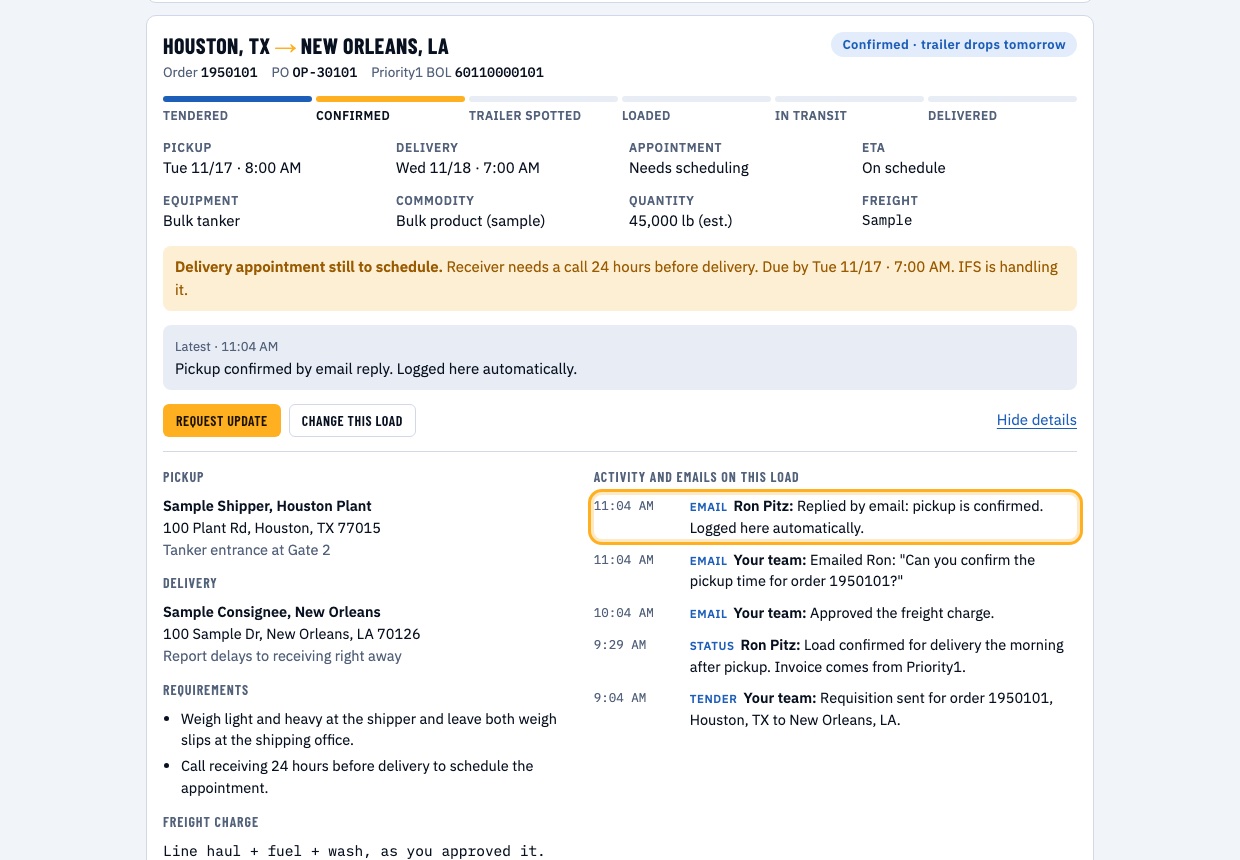
Keep emailing. It lands here.
Nothing about how you work has to change. Emails you send us about a load are matched to it by order, PO or BOL number and logged in its history. What you submit on the portal reaches us by email. Use either one, or both.
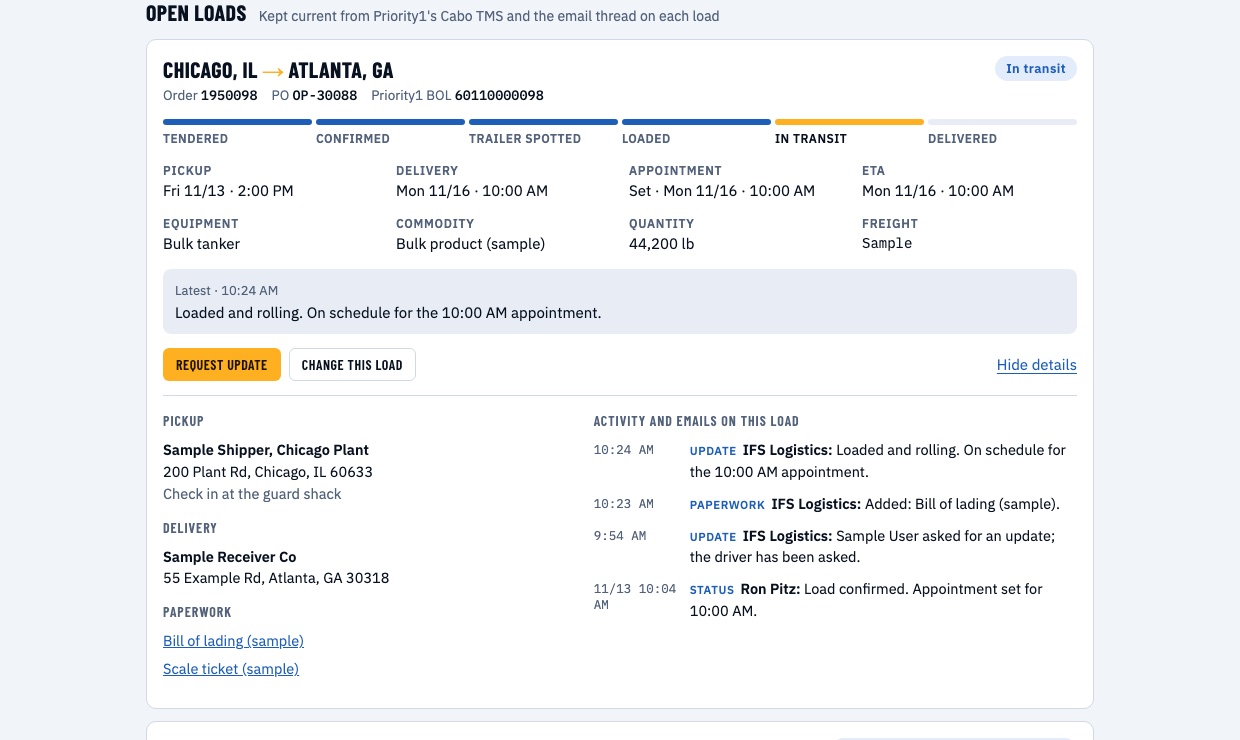
The full history of every load
Pickup and delivery addresses, site requirements, the freight charge as you approved it, and a time-stamped trail of every status, email and change.
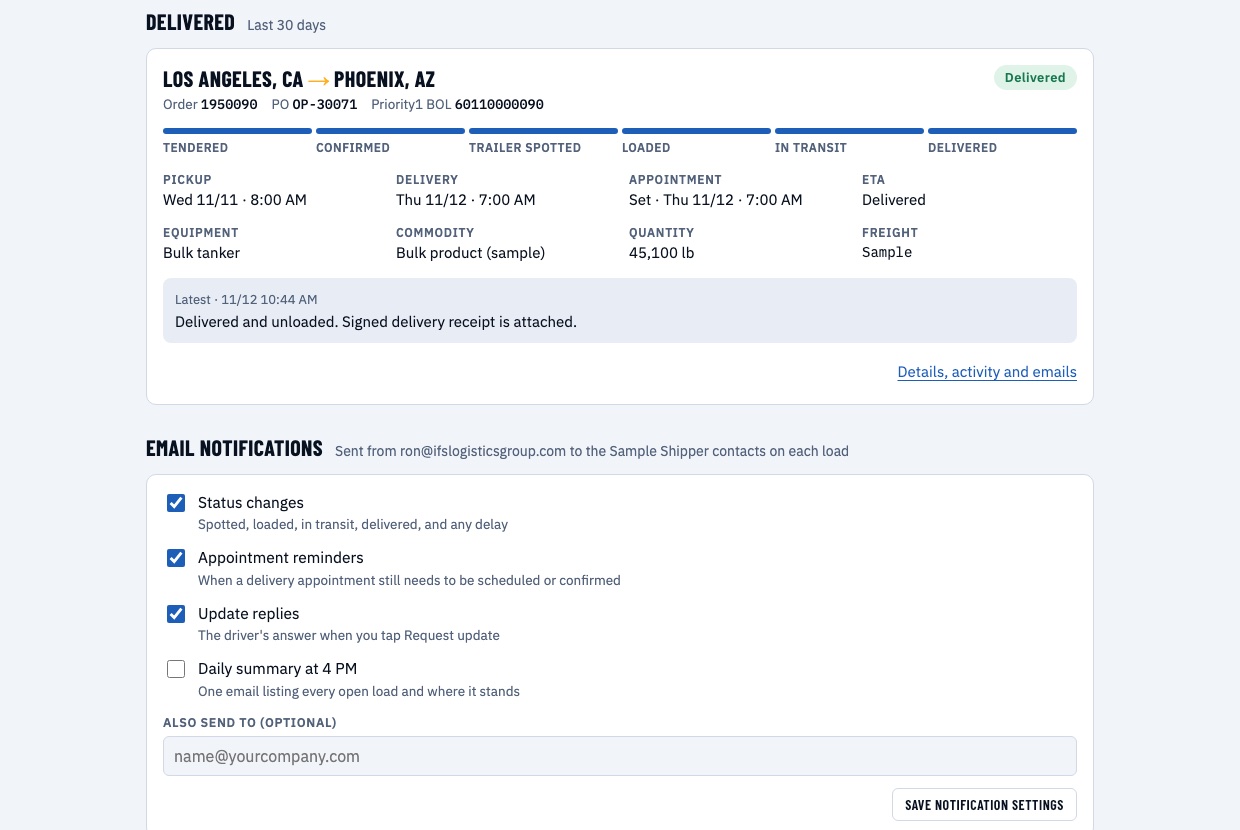
Notifications you control
Choose status changes, appointment reminders, update replies and a 4 PM daily summary of every open load. Add other people at your company so the right inboxes stay informed.
Fed by the work, not by data entry
The portal sits between your team, our desk, the carrier and Priority1's TMS. Updates flow in from the emails and confirmations that already happen on every load.
Your emails
Messages from your company about a load are matched by order, PO or BOL number and logged on it. A requisition in your standard format can create the load for you.
Your clicks
Update, quote, tender and change requests made on the portal reach our desk by email the moment you send them.
Carrier replies
The driver's answer to an update request is posted to the load in plain words. Carrier names, contacts and pay are never shown.
Our desk
Rates, truck confirmations, appointments and changes are entered by the people handling your freight, then shown to you right away.
Run the portal yourself
This is the real customer page running on sample loads. Press the buttons: replies arrive in a few seconds, the way they would on a live load. Nothing is sent to us or to a driver.
Hauling for IFS? Nothing to install.
The portal keeps our customers informed so you are not fielding the same question from three people. Your side of it is one email.
- One short email, not a string of calls. When a customer asks for an update, you get a single message. Reply from your phone in a sentence.
- Never more than once every two hours per load. The portal will not ask again inside that window, and it tells the customer when you were asked.
- Your details stay private. Customers never see your company name, your contact or your rate. That is enforced in the software.
- Paperwork goes to one place. Send the signed BOL and delivery receipt to our desk and we post them to the load, so nobody has to chase you for them.
What it does, and what it does not
More questions? Read every customer answer in Help →
Portal access comes with shipping with IFS
Ship with IFS
Send us a lane to quote. Once we are moving your freight, your company is set up as a customer.
We build your portal
We set up your company, your contacts and your open loads. There is nothing for your IT team to do.
You get your sign-in
We give you an access code and a private link. Sign in from Customer Login with your work email, any time.
Ship with a broker you never have to chase.
Tell us what you are moving. We will quote it, cover it, and put it in front of you on one page.